Human in the Loop AI Automation: When to Ask First
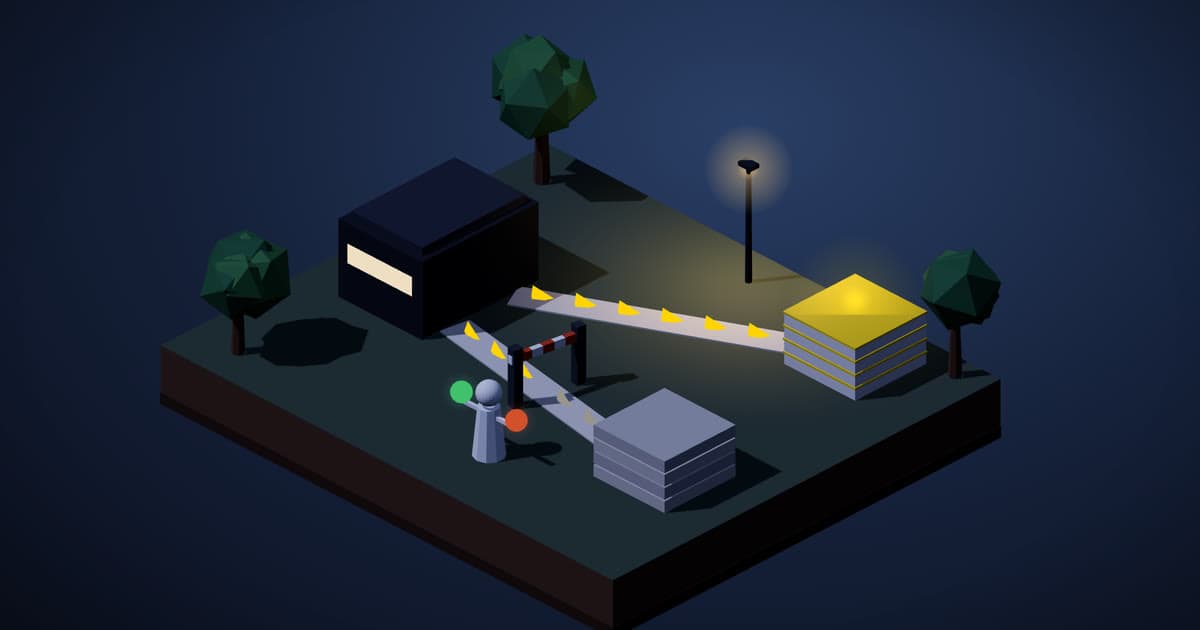
Human in the loop AI automation means the system stops and asks a person before certain actions run. Ask first when an action spends money, leaves the company, changes important records or cannot be undone. Let low-risk steps run alone, review them afterward, and loosen approvals as the track record builds.
Smarter Revolution is a US team that builds AI into a company's real workflows and then runs it for them, including chatbots and AI automation. This guide is for managers about to let an AI draft emails, update a CRM or answer customers, who want to decide where a person stays in the chain. Approvals reduce risk rather than remove it, and nothing here is legal advice.
What does human in the loop mean for an AI automation?
Human in the loop AI automation puts a person's sign-off at a chosen point, before the action happens. The automation does the preparation, such as reading a request, looking up a record and writing a reply. Then it stops, and nothing goes out until someone says yes.
n8n, a workflow tool, documents this pattern for AI agents. A tool here means an action the agent can take, such as sending a message. The run waits while a reviewer approves or denies that action, and the review can cover "all tools connected to an AI Agent node, or just selected individual tools." We use n8n's docs because they describe the mechanics clearly, not as a product recommendation.
The security side says the same. The OWASP entry on excessive agency lists this control: "require a human to approve high-impact actions before they are taken."
The goal is not a person checking everything. It is finding the few steps where a wrong move costs real money or trust, and leaving the rest alone.
Which actions should need a person's approval first?
Four kinds of action should start with a stop: spending money, decisions with real weight, anything that goes outside the company, and anything with no way back. The weighty group includes an edit to a record your team relies on. OpenAI's guide to building agents draws a similar line, naming actions that are "sensitive, irreversible, or have high stakes," and n8n's docs list similar cases. This grouping is ours. Here is a made-up example, not a client. A customer writes in asking to move a delivery date. Looking up the order can run alone, since reading changes nothing. Writing a draft reply can run alone too, since a draft sits still. Sending that reply and changing the date in the order system both wait for a person, because one leaves the company and the other changes a promise.
If your industry has rules about automated decisions, ask your counsel what they require.
In our view, these steps can usually run without a stop:
- Reading and looking things up. Pulling an order, a load status or an open calendar slot changes nothing.
- Drafts that stay drafts. A reply saved for someone to open later has not gone anywhere.
- Internal sorting. Tagging a request or routing it to the right queue is easy to redo.
What is the difference between approving first and reviewing afterward?
Timing. With approval first, the action has not happened when the person looks. With review afterward, it already has.
| Question | Approve first | Review afterward |
|---|---|---|
| When does the person act? | Before the action runs | After the action has run |
| Where does it fit best? | A mistake would be costly or public | Volume is high and stakes are low |
| What does it cost you? | The work waits for an answer | A mistake may already be out |
In our view, most automations need both inside one process. Our post on AI agents for freight status updates draws the line for one trade: the agent answers routine load questions from the record, while claims, rate questions and safety issues stay with a person on your team.
What should the person approving see on the screen?
Enough to decide without opening other tabs. In n8n's setup, the request tells the reviewer "which tool the AI wants to use and with what parameters." We would add more:
- The exact action. Not "update CRM," but which field, the old value and the new value.
- The exact content. The full message as it would go out, not a summary. A reviewer who sees a summary is approving the summary.
- The reason. The request or record that set this off, one click away at most.
- A way to say why not. A no with a short reason is worth far more than a plain no.
In our view, a person who gets a steady stream of requests all day will stop reading them. If that starts to happen, take the low-stakes items out of the queue.
What should happen when the person says no?
The work should stop cleanly, and the next step should already be decided. In n8n's version, a denied request means "the action is canceled and the AI is informed of the rejection." Its docs say to write the approval setup into the agent's system prompt, the standing instructions the agent reads on every run.
Settle these points before launch:
- Can it try again? Our advice: a denied action should not come back unchanged.
- Who hears about it? If a customer is waiting, someone should tell them what comes next.
How do you loosen approvals as the automation proves itself?
One step at a time, with a record to point to. OpenAI's guide wants human oversight on high-risk actions "until confidence in the agent's reliability grows," and n8n's docs say to "reduce oversight as confidence grows." Neither gives a number or a schedule. Here is how we would run it:
- Start strict. Put a stop on every step that sends to a customer, spends money, changes an important record or cannot be undone.
- Track what reviewers do. For each type of action, count how many were approved as they stood, edited or refused.
- Move one type at a time. When a type has been approved unchanged for a stretch you trust, switch it to reviewing afterward.
- Keep the stop on the worst cases. Deleting data, spending money and any message that makes a promise keep their approval, however good the record looks. A narrow, repeatable message, such as a status reply read straight from a record, is the kind of send that can earn a looser rule.
- Tighten again after a change. In our view, a new model, a wider permission or a new connection should bring the stops back for a while.
Who should own each automation, and how much access should it have?
One named person should own each automation. In our view, each one also needs a short shared record before launch: what it reads, which systems it logs into, where its logs live and whose name is on it.
Access matters as much as approval. OWASP says to limit permissions "to the minimum necessary," and its example is an agent that recommends products and might need only read access to one table. A stop only protects the steps it sits on. If the login behind a status bot can also delete records, fix the login first. Access rules and monitoring are part of our AI Infrastructure Optimization service.
How does Smarter Revolution build and run a workflow?
One workflow at a time. We build it against your real data, wire it into tools your team already uses, test it against your current manual process, and keep running it. Our website chatbot hands over to your team with a summary, and our AI voice agents book or route calls with context.
Whether and where a person signs off in your workflow is something the team covers on a call.
After a free 30-minute scoping call, you get the exact scope in writing. We charge one fixed price to build your system and one monthly fee to run and improve it, both agreed in writing before work starts. Build time is measured in weeks, not quarters, counted from when we have the access and approvals we need.
To talk through where a person should stay in the loop, book a call.
Frequently asked questions
Does approval make an automation slow?
At the steps with a stop, yes, because that run waits for an answer. Steps before the stop are not held up, but anything after it in that run waits too. Keep the stops on actions that matter, and the delay stays where you chose to accept it.
Can approvers answer in Slack or email?
In n8n, yes. Its list of approval channels includes Slack, Gmail, Outlook, Microsoft Teams, Telegram and WhatsApp Business Cloud, and a request can go through "a different channel than the main interaction." If you use a different tool, check its own list.
What if nobody answers?
Settle it before launch. Decide how long a request can wait, who gets it next, and what happens when time runs out. For anything you cannot undo, our advice is to do nothing until someone answers.
Do I need approval for every email draft?
Not if the automation only drafts. A draft in a folder has not left the company, and the person who opens it is the check. If the automation sends by itself, start with a stop on the send. Only a narrow, repeatable message should earn a looser rule.
Does a person in the loop remove the risk?
No. It reduces risk. A tired reviewer can approve a bad action, and a stop only covers the actions you attached it to. Pair it with narrow access and a named owner.
The bottom line
Human in the loop AI automation comes down to one list: which actions wait for a person, and who that person is. Start strict, show the approver the exact action, decide what a refusal does, and loosen one type at a time as the record builds.
Sources
- n8n Docs, "Human-in-the-loop for tools", opened October 31, 2026: docs.n8n.io
- OWASP GenAI Security Project, "LLM06:2025 Excessive Agency", opened October 31, 2026: genai.owasp.org
- OpenAI, "A practical guide to building agents", opened October 31, 2026: cdn.openai.com
Mark Alouf
Smarter Revolution is a US team that builds AI into a company's real workflows and then runs it for them. We start with one workflow and add the next when you are ready.